Find out whether a USB microphone will improve your workday by checking desk placement, meeting software, mute controls, room noise, and headset alternatives.
Our advice is based on published information and the use cases explained below. Manufacturer links in this guide are ordinary links, not paid placements. How links work.
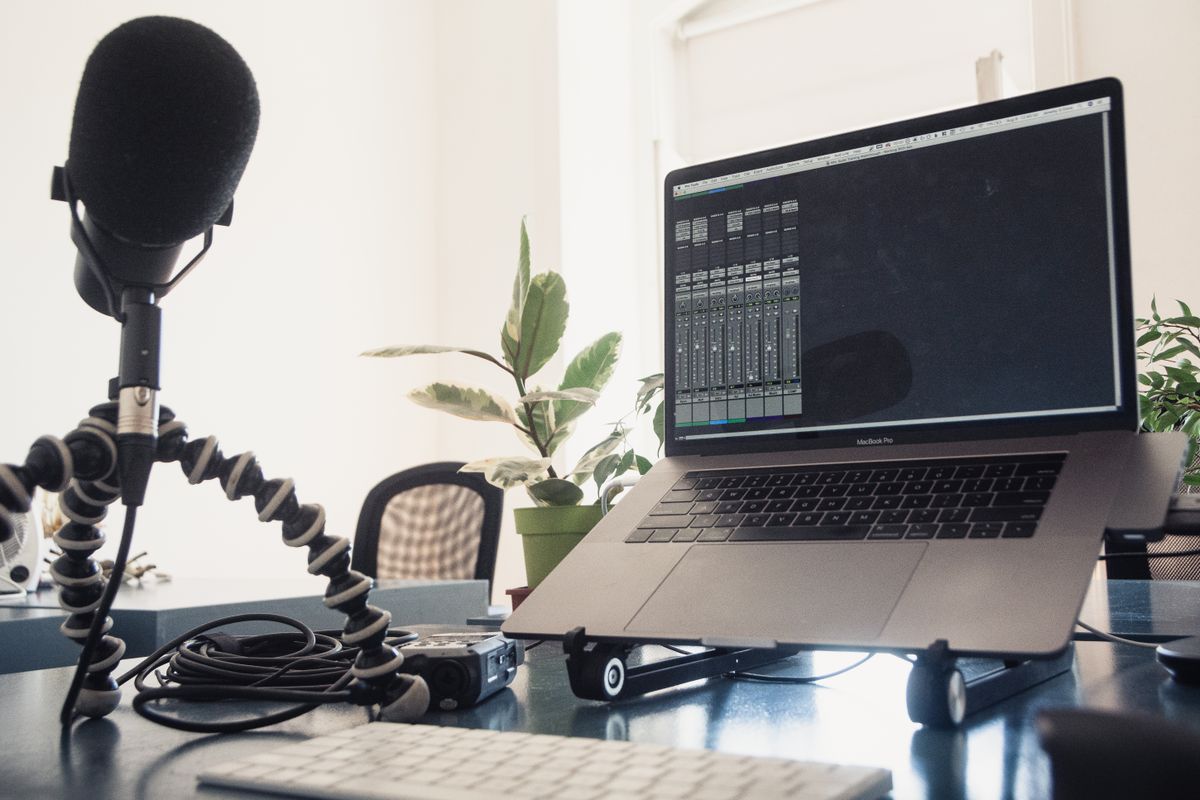
A USB microphone is a sensible purchase for a fixed desk where you can position it consistently and want a separate input device. A headset may be more practical for frequent movement or a shared room. TechPixl Editorial recommends trying better placement and the correct meeting settings first, then buying around a genuine workflow limitation rather than a promise of instant studio sound.
Identify what other people actually struggle to hear
A colleague asking you to repeat a sentence does not automatically mean you need a microphone. The problem may be the wrong selected input, an unstable connection, a distant laptop, or several layers of noise processing. Before shopping, record a short spoken note with your current equipment in the room where you work. Listen for whether the voice is distant, uneven, distorted, or simply quiet.
Then check the meeting application's chosen microphone and speaker. Windows support explains how output and audio-device settings affect troubleshooting; the general lesson is to verify routing before replacing hardware. A USB microphone cannot fix a call that is still using the webcam's microphone by mistake.
Positioning is part of the purchase
A desk microphone must live somewhere close enough to your normal speaking position without blocking the keyboard or camera. If it ends up behind the laptop because there is no free space, you may have paid for little practical improvement. Measure the stand's footprint and think about where your hands, water bottle, and notebook already go during a meeting.
A boom arm can help with positioning but adds cost and needs a suitable clamp location. Glass desks, shallow tops, and monitor arms can complicate placement. Do not buy an accessory bundle until you know the microphone's mount compatibility and whether the supplied stand already reaches a workable position.
Understand the features you will use
USB microphones integrate a digital connection that can simplify a single-person computer setup. Shure's MV6 documentation describes a USB workflow and built-in processing; those are examples of features to check rather than a promise that every USB microphone includes them. Confirm operating-system requirements, included cables, and whether adjustments require software you can install on a managed work computer.
A physical mute control is helpful when you need to stop audio quickly, but learn how its state interacts with the meeting application's mute indicator. Headphone monitoring can also be useful if included. Neither feature substitutes for checking the meeting's selected input after reconnecting equipment or docking the laptop.
Room sound does not disappear at checkout
A microphone records in the environment you give it. Bare walls, a loud fan, a keyboard beside the stand, or a second person taking calls can remain relevant after an upgrade. Move away from the noisiest part of the room, place soft furnishings where practical, and position the microphone according to its instructions before applying aggressive processing.
Do not stack every available noise-reduction setting automatically. Processing in the microphone, operating system, and meeting app can interact in ways that make speech less natural. Change one setting at a time and make a short recording. The aim is understandable conversation with a repeatable setup, not a dramatic radio voice.
A headset may solve more of the day
If you stand up to find documents, turn between screens, or share a room, a headset keeps its microphone at a more consistent distance. It can also keep remote voices out of the room. A standalone microphone is more attractive when you remain seated, dislike wearing a headset, and can use headphones or carefully managed speakers without creating feedback problems.
For a laptop carried between offices, the small size of a headset can outweigh the flexibility of a desk microphone. Compare the whole routine: packing, reconnecting, checking input, and muting. The best equipment is the setup you can use correctly on a busy morning without an extended sound check.
Spend on a clear limitation
Buy a USB microphone when recordings show that your current input is the weak link and you have room to position the replacement properly. Choose a model with verified compatibility, accessible controls, and a connection that suits your computer. Keep the current setup if adjusting distance and selecting the correct device resolves the complaint.
Use the official product page to verify the current package and software requirements. TechPixl Editorial would budget for useful placement before aesthetic extras. If you also plan to record interviews or add several microphones later, investigate that workflow separately; a convenient single-microphone call setup does not automatically become a flexible multi-person recording system.
Choose for the way you use it
| Use case | Look for | Tradeoff |
|---|---|---|
| Fixed home desk | Usable stand, mute, supported USB connection | Occupies desk space |
| Movement during calls | Headset with stable microphone position | Something to wear for long meetings |
| Managed work laptop | Basic operation without restricted software | Some adjustments may be unavailable |
Before you buy
- Record your current input before shopping.
- Check microphone selection in each meeting application.
- Measure stand and boom-arm clearance.
- Verify software permission and operating-system support.
Common questions
Do USB microphones need a separate audio interface?
A USB microphone designed for direct computer connection generally includes the required interface. Confirm the exact product's connection instructions and included cables.
Will a new microphone remove keyboard noise?
Not necessarily. Position, pickup pattern, desk vibration, and processing matter. Move the microphone appropriately and assess a recording before adding accessories.
Sources & further reading
Official information consulted October 19, 2026. Buying recommendations and use-case judgments are TechPixl editorial analysis.