Keep family calls and desk conversations comfortably in view. Choose a stand by camera angle, case fit, charging access, and how much space it occupies.
Our advice is based on published information and the use cases explained below. Manufacturer links in this guide are ordinary links, not paid placements. How links work.
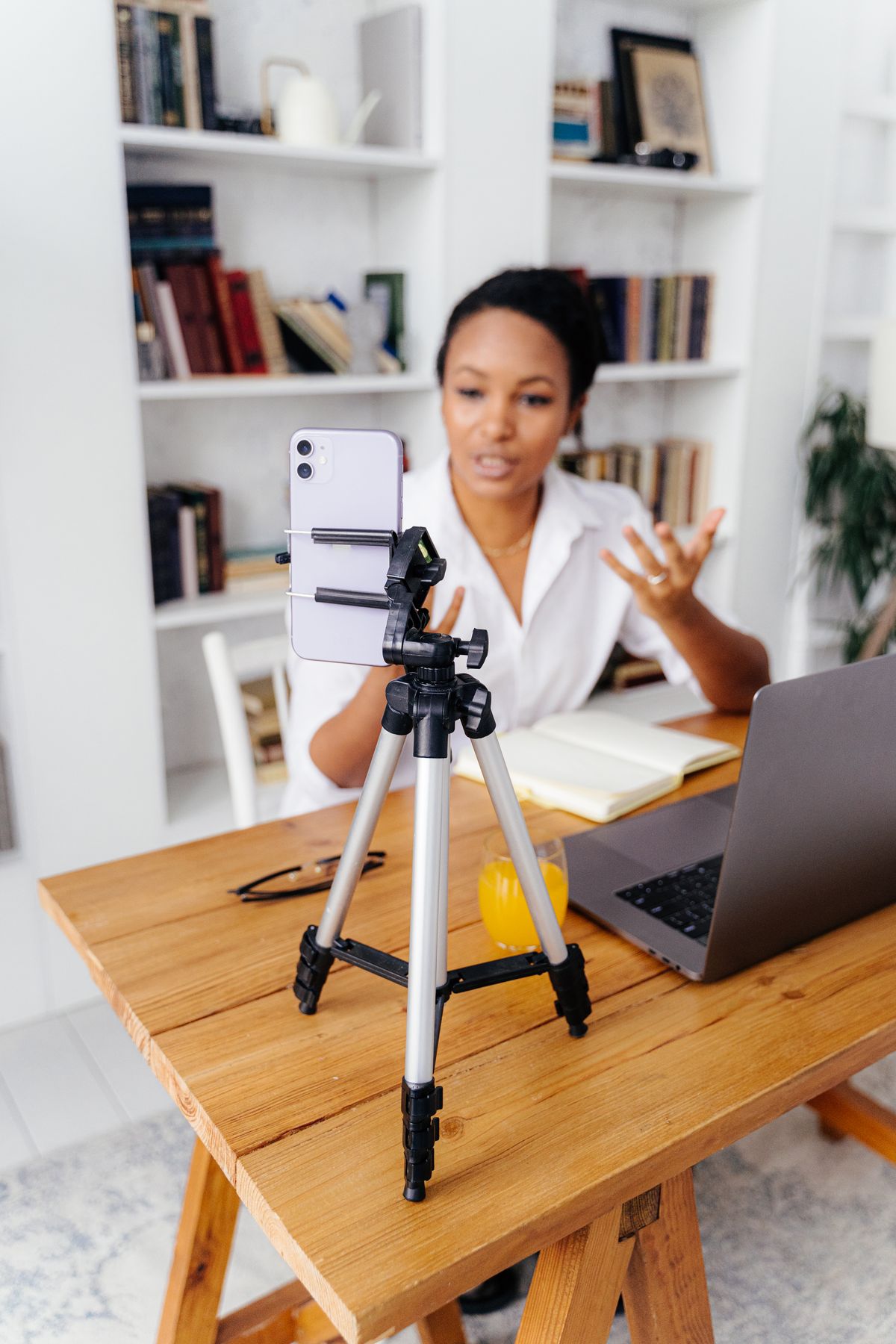
A simple cradle with a stable base, a useful viewing angle, and room for your case is enough for most hands-free calls. Pay for extra height when the camera position needs it, and for a magnetic mount only when your phone and case support the intended attachment. Charging clearance is useful; wireless charging is optional. Choose a stand you can leave in the right place without rebuilding your desk.
Choose the place before the accessory
A family video call often begins with a phone leaning against a water bottle, then sliding downward as the conversation gets interesting. A small stand can make that routine less distracting. Start by identifying where calls actually happen: the kitchen table, a desk beside a laptop, or a chair with a nearby side table. The surface determines how much height and base area the accessory can reasonably use.
Look at the camera preview from that location before shopping. If the lens is already close to a useful angle, an inexpensive cradle may solve the problem. If the phone sits much too low, choose a design with an appropriate height adjustment instead of simply tilting the camera sharply upward. Keep the stand on a suitable surface rather than relying on an improvised stack of objects to complete the purchase.
Check case fit and the controls you touch
Measure the phone with its normal case, including any finger grip or attached wallet. A deep cradle can accommodate some thick cases while still interfering with a raised accessory on the back. Check the contact points in the product photographs and compare them with your setup. A stand designed around a bare phone may be inconvenient if using it requires removing a protective case before every conversation.
UGREEN's desktop phone-holder documentation lists adjustable viewing positions, and its portable stand is presented as a folding option. Those are different practical priorities, not proof that one suits every device. Read the exact product's dimensions and compatibility notes before ordering. Make sure the holder does not obscure gestures, press side buttons, cover the microphone, or block the camera needed for your usual call.
Decide how much adjustment is genuinely useful
A compact folding stand is convenient for occasional use because it can return to a drawer or travel pouch. A taller adjustable model can keep a phone near the height of a nearby display, but it takes more room and adds another hinge to position. Decide whether you need to move the stand around the house or want a dedicated calling spot that stays ready throughout the week.
Consider stability at your preferred angle, especially if you tap the screen regularly. A stand that holds a phone during passive viewing may still move when you answer a call or type a short message. Check it on the intended table, with the case fitted and the phone in both orientations if you use them. A heavier base is a tradeoff to assess alongside portability, rather than an automatic sign of better value.
Leave room for charging without buying unnecessary electronics
A charging cable should reach the phone without bending sharply against the tabletop or pulling the stand to one side. Look for clearance beneath the connector in portrait position and a sensible cable route in landscape. If a connector housing is particularly large, compare it with the cradle opening. Buying a different stand can be more convenient than replacing a perfectly usable cable simply to squeeze it through a narrow notch.
A passive stand works with your existing charger and introduces no new wireless-charging compatibility question. A powered magnetic stand can be convenient when charging is part of every call, but check the exact phone, case, adapter, and included-cable requirements. Do not assume a product that magnetically holds a phone also charges it. Read the function list carefully; a magnetic holder and a wireless charger can look similar in a listing photograph.
Make the whole conversation work
A stable picture is only part of a useful call. Put the phone where you can hear it without leaning over the table, and keep its microphone away from objects that obstruct speech. Check the calling app's preview and audio settings. If the conversation includes another person in the room, confirm the camera framing includes them naturally rather than constantly passing the phone between chairs. The right stand position can make that easier.
Lighting matters too. Face a suitable light source and check whether a bright window behind you makes the picture difficult to see. You may solve the issue by moving the chair rather than buying a taller stand or a new camera accessory. For a work conversation, consider what the camera reveals in the background and whether a dedicated location is useful. Keep these room decisions separate from the stand's basic mechanical job.
Buy the version that fits your routine
For brief calls at a small kitchen table, start with a compact cradle that holds the case securely and leaves the charging port accessible. For frequent desk conversations, compare adjustable height and the stability of the base at your chosen position. For travel, folded dimensions and setup speed can be more important than maximum extension. A stand should make it easier to begin a call, not require a new arrangement every time.
When it arrives, try the normal call app, tap its controls, rotate the phone, and connect the cable you intend to keep there. Keep the packaging until you know the combination works. Browse the manufacturer's current options with those checks in mind. Pay extra for a feature that removes a recurring annoyance, such as insufficient height or awkward case clearance, rather than one that simply makes the feature list longer.
Choose for the way you use it
| Call routine | Look for | Tradeoff |
|---|---|---|
| Occasional family calls | Compact cradle with useful tilt | Limited camera-height adjustment |
| Frequent desk conversations | Adjustable height and a suitable base | More desk and bag space |
| Long calls while charging | Connector clearance and manageable cable route | Powered stands add compatibility checks |
Before you buy
- Measure the phone with its everyday case and accessories.
- Check lens position from the actual chair and table.
- Confirm that taps do not make the stand slide.
- Distinguish magnetic holding from wireless charging.
Common questions
Does a phone stand need wireless charging?
No. A passive stand with enough connector clearance can use your existing charging cable. Add wireless charging when it makes your normal routine easier.
Will a tall stand automatically improve video calls?
Only if height is the problem. Check camera angle, lighting, sound, and surface stability before choosing extra extension.
Sources & further reading
Official information consulted October 19, 2026. Buying recommendations and use-case judgments are TechPixl editorial analysis.