A practical guide to a family charging station: choose useful ports, understand shared power, and keep phones, tablets, and a work laptop ready.
Our advice is based on published information and the use cases explained below. Manufacturer links in this guide are ordinary links, not paid placements. How links work.
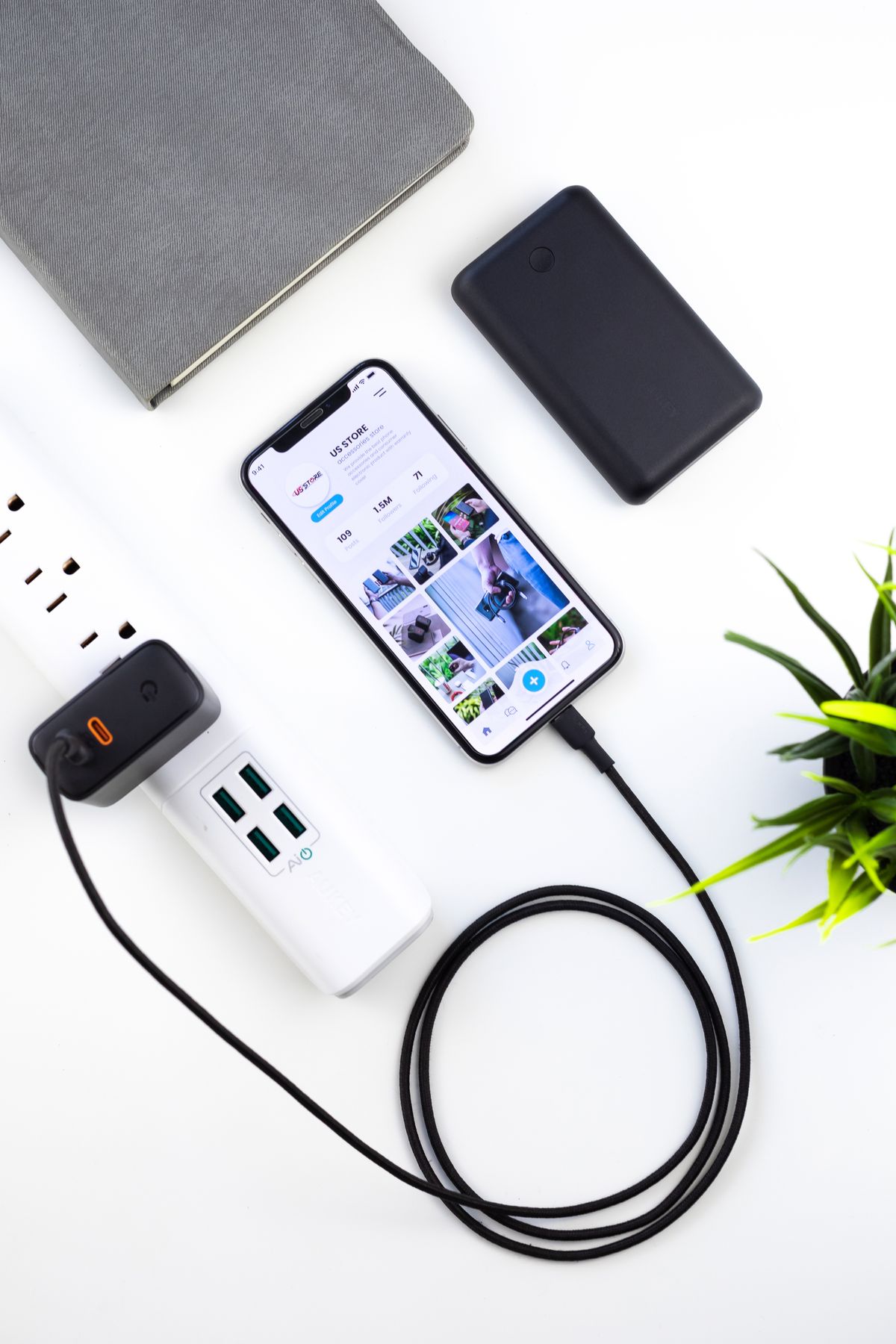
For a kitchen charging point, prioritize enough useful USB-C ports, a clear simultaneous-output chart, and cables that reach the actual landing place for devices. A compact desktop charger can suit a family better than a heavy wall adapter. Buy additional laptop power only if a laptop really joins the nightly queue; otherwise, separate phone charging may be simpler and easier to share.
Start with the evening queue
At seven in the evening, a parent's work phone, a teenager's tablet, and a nearly empty personal phone can all arrive at the same kitchen outlet. The problem is less about buying the fastest advertised charger than giving each device a predictable place. Write down the devices that genuinely charge together, including the occasional guest phone, before comparing port counts.
Then identify which devices need a quick top-up before someone leaves and which can remain connected overnight. A phone used for tomorrow's alarm has a different deadline from a laptop needed for a late presentation. That distinction helps you avoid paying for a large adapter whose headline output is only useful when one device is attached.
Read the output chart, not just the box
A multiport charger's total wattage does not describe every port combination. Anker's published four-port charging guide, for example, lists different allocations depending on the connected ports. Treat that as a reason to inspect the exact model's chart, rather than assuming all chargers divide power equally. The highest-output port should be easy to identify without turning the charger over every evening.
For USB-C phones, check the phone maker's supported charging requirements and the charger's matching protocols. A compatible high-wattage adapter does not force its entire rating into a phone. There is little reason to buy laptop-class output solely because the number sounds reassuring; the device's supported charging behavior still matters. Avoid mixing a charger's single-port promise with its all-ports-in-use performance.
Choose the shape for the outlet
A wall adapter can work beautifully beside a sofa and awkwardly behind a microwave. Measure the clearance around the plug and check whether neighboring sockets remain accessible. A desktop charger moves the ports to the countertop, but its power lead needs a tidy route and the unit needs a dry, ventilated position away from cooking splashes.
Heavy adapters and short cables can make wall placement frustrating. Think about where a person actually sets down a phone, rather than the straight-line distance to the socket. Leave enough slack to pick it up comfortably, while keeping leads away from a counter edge that a child or pet might pull. Convenience determines whether the family uses the station.
Make the cable kit understandable
Buy cables for the devices in the house, including any older connector still in daily service. Give different positions a recognizable cable color or a small label so the laptop cable stays where it belongs. Check the cable's stated power capability, connector fit, and return terms; a reinforced-looking braid alone does not establish electrical performance or durability.
Keep charging needs separate from file-transfer needs. A cable that is adequate for a bedside phone may be a poor choice for moving large video folders. Store the transfer cable with the computer, where its intended role is clear. Replacing every cable with an expensive high-bandwidth version usually adds cost without solving the shared-outlet problem.
Budget for the complete station
Compare the adapter, necessary cables, cable clips, and any spare you would otherwise take from a travel bag. A lower sticker price can become less attractive if the package omits the leads you need. Read the seller's policy for a faulty port and the manufacturer's regional support terms before ordering; do not assume a familiar marketplace listing is an authorized seller.
A two-station arrangement may be the better purchase: one uncomplicated phone charger in the kitchen and the laptop's own adapter at the desk. It costs you a little counter space but reduces arguments over the best port. Choose the setup that works on an ordinary school night rather than the theoretical maximum number of devices you own.
Use the return window as a household trial
Connect the normal evening combination and check that every device indicates charging. Add and remove a phone while watching the laptop's status, since power allocation can change when the port arrangement changes. This is a practical compatibility check for your equipment, not a laboratory speed comparison. Keep packaging until the family has used the arrangement for several evenings.
If the setup makes someone unplug another device to reach their cable, revise its placement before buying a more powerful model. A charger with fewer, well-positioned ports may be the more useful purchase. Explore the maker's current lineup only after you have a short list of required connections, a realistic simultaneous load, and a clear place for it to live.
Choose for the way you use it
| Use case | Look for | Tradeoff |
|---|---|---|
| Two phones overnight | Two accessible USB-C outputs | Less flexibility for a visiting laptop |
| Laptop and family phones | Published simultaneous power allocation | Larger adapter and higher cost |
| Outlet behind furniture | Desktop unit with a suitable power lead | Another cable to route |
Before you buy
- List the exact devices that charge simultaneously.
- Check output with your intended port combination.
- Measure cable routes and outlet clearance.
- Confirm required cables and regional support are included.
Common questions
Will a higher-wattage charger always charge a phone faster?
No. The phone, supported charging protocol, cable, temperature, and battery state all affect charging. Match the maker's requirements before spending more.
Is one big charger better than several small ones?
It is convenient when devices gather in one place. Separate chargers can be easier when a laptop and phones live in different rooms or need different schedules.
Sources & further reading
Official information consulted October 19, 2026. Buying recommendations and use-case judgments are TechPixl editorial analysis.