Check door hardware, remote-access requirements and guest permissions before paying for a lock that adds more app management than your household needs.
Our advice is based on published information and the use cases explained below. Manufacturer links in this guide are ordinary links, not paid placements. How links work.
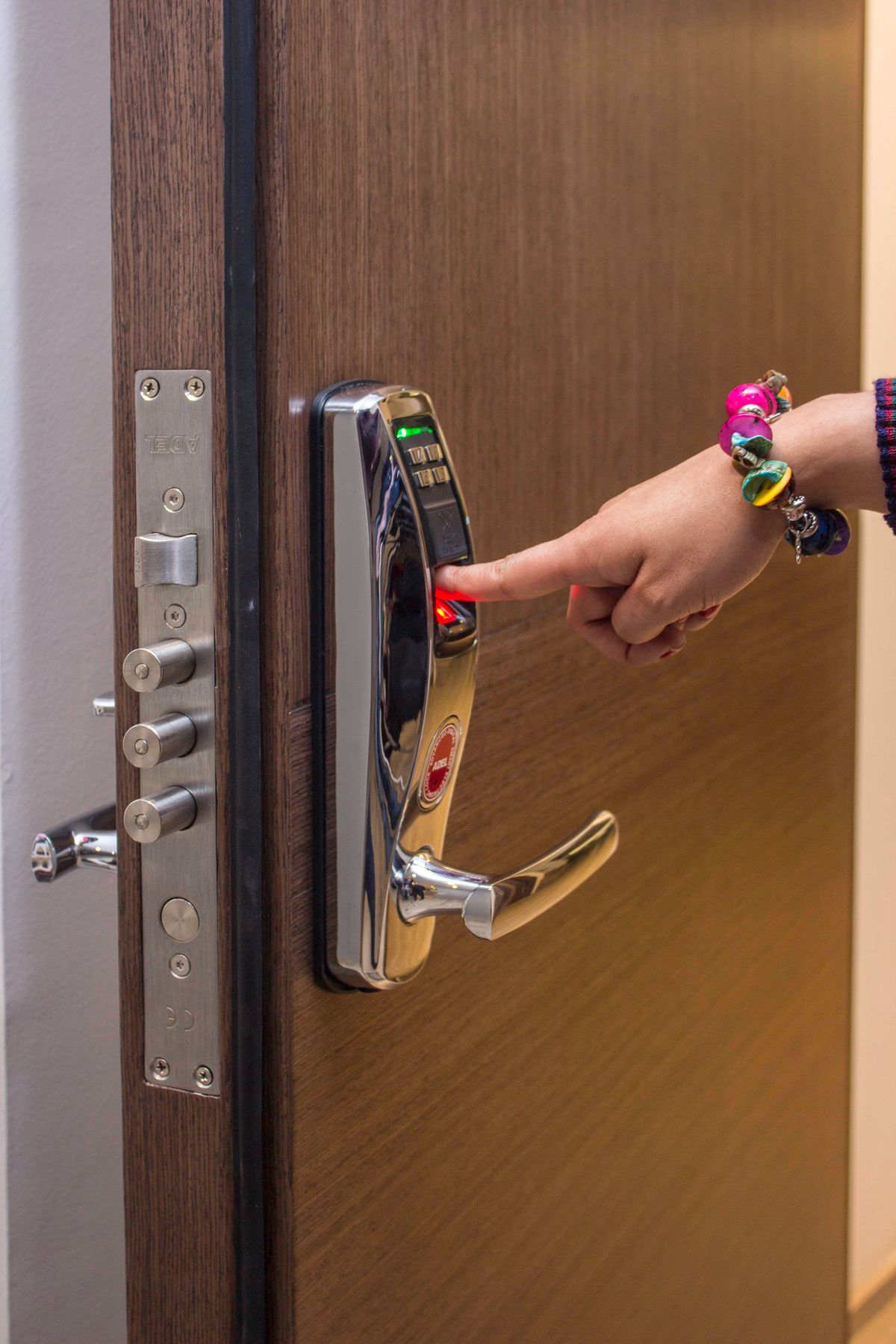
Start with the door's physical requirements, then choose how household members and guests will enter. A keypad can suit occasional visitors who do not want another app, while remote administration requires a verified connection and compatible equipment. Compare the exact regional lock, accessory modules and fallback procedure as one system. Convenience features should support a reliable everyday entry routine.
Identify the door hardware before browsing finishes
Picture a family member arriving with groceries while a visiting relative waits outside later that week. Those are useful scenarios for a smart lock, but the purchase starts with the door rather than its convenience features. Identify the existing lock type and consult the intended product's compatibility guide. A retrofit mechanism, replacement deadbolt and mortice-style installation solve different hardware situations. Similar exterior appearance does not establish that a product will fit the holes or mechanism already present.
Record the measurements requested by the manufacturer, which may include door thickness, backset and the space around the interior hardware. Yale's regional documentation illustrates why these dimensions and product families need to be checked explicitly. Allow for the handle, frame and any second door nearby. If the door already needs lifting or pushing to operate the existing lock, address the physical alignment with an appropriate professional before expecting a motor and app to make that problem disappear.
Choose the entry method for the people involved
A household with children, visiting parents and a regular cleaner may need several ways to enter. An app can suit an owner who already manages the home on a phone. A keypad may be easier for a guest who does not want to create an account or pair a device. Check which entry methods are built into the exact model and which require a separately purchased accessory. A low starting price becomes less meaningful when the required keypad is missing.
Think through a visitor's entire arrival rather than only the unlock command. Will the person receive understandable instructions? Can the code be entered conveniently with bags in hand? Is the keypad location suitable for the way the entrance is used? Avoid relying on a biometric feature as the only household plan without understanding its documented operation and alternatives. The goal is a manageable choice of access methods, with the purchase driven by the people who actually need them.
Separate local access from remote administration
A phone controlling a lock nearby is not proof that you can administer it while away. Check the documented path for remote operation, including Wi-Fi, a bridge, a compatible hub or another required controller. Regional models with nearly identical names may use different accessories or integrations. Trace the complete system and its power requirements before buying. Also check which functions remain available when the internet connection is unavailable, using the maker's exact instructions rather than assuming all controls share the same dependency.
Smart-home compatibility needs the same care. A logo can describe a supported integration without confirming that every feature appears inside every platform. Guest code administration, notifications and door-status information may be handled differently from a basic lock command. Read the feature list for the lock, module and controller combination you intend to use. If your main requirement is admitting an occasional visitor, a complicated ecosystem expansion may offer little benefit compared with a simpler supported keypad routine.
Give guests appropriate access and an end date
Yale's app guidance distinguishes owner and guest permissions, a useful reminder that admitting someone does not require giving them full administration. Review the available access levels before inviting anyone. For a short visit, check whether the chosen system supports the schedule or expiration you need. Those controls should be confirmed for the particular entry method; do not assume an app invitation and a keypad code always have identical rules.
Use individual access arrangements where supported so you can revoke one person's access without reorganizing everybody else's. Explain the practical arrival steps and confirm that the intended person has received them. When a visit or working arrangement ends, review access instead of leaving old permissions indefinitely. Activity information can also affect household privacy, so discuss who can view it and how it is used. These are ordinary management decisions that remain necessary even when an app makes issuing an invitation quick.
Plan battery changes and fallback access
Read the battery type, low-power alerts and manufacturer-approved fallback procedure before installation. Decide who handles replacement and where the required supplies belong. A backup method is only helpful when the people who need it understand the procedure and can access the necessary item. Do not improvise power connections or bypass instructions. For rented or shared premises, coordinate hardware changes with the responsible owner or building contact and check applicable installation requirements before ordering.
Our buying priority is verified door fit, straightforward everyday entry and a practical maintenance plan. Remote controls and ecosystem integrations come after those basics. Use the official documentation below to compare regional requirements, then review the complete cost with modules, keypad and professional fitting if needed. Keep purchase and compatibility records together. A well-chosen smart lock should reduce everyday coordination, while leaving the household clear about who has access and what to do when the usual routine is interrupted.
Choose for the way you use it
| Need | Confirm before buying | Tradeoff |
|---|---|---|
| Occasional visitors | Supported keypad or guest entry method | Codes and permissions need management |
| Remote administration | Exact hub, module and network requirements | More hardware and connection dependencies |
| Existing door hardware | Regional installation dimensions and lock type | Fitting work can add cost |
Before you buy
- Identify the existing lock type and required door measurements.
- Include any separate keypad, bridge or module in the budget.
- Check guest permissions and expiration for the entry method.
- Read the approved battery and fallback-access instructions.
Common questions
Will a Bluetooth lock work remotely by itself?
Do not assume it will. Read the exact product's remote-access requirements; a compatible bridge, hub or other supported connection may be needed.
Should a guest be made an owner in the app?
Use the least access that fits the visit. Review the manufacturer's owner and guest capabilities and confirm any scheduling limits before issuing access.
Sources & further reading
Official information consulted October 19, 2026. Buying recommendations and use-case judgments are TechPixl editorial analysis.