A protector should fit the case and keep everyday touch and unlocking convenient. Compare glass, film, installation tools, display finish, and replacement value.
Our advice is based on published information and the use cases explained below. Manufacturer links in this guide are ordinary links, not paid placements. How links work.
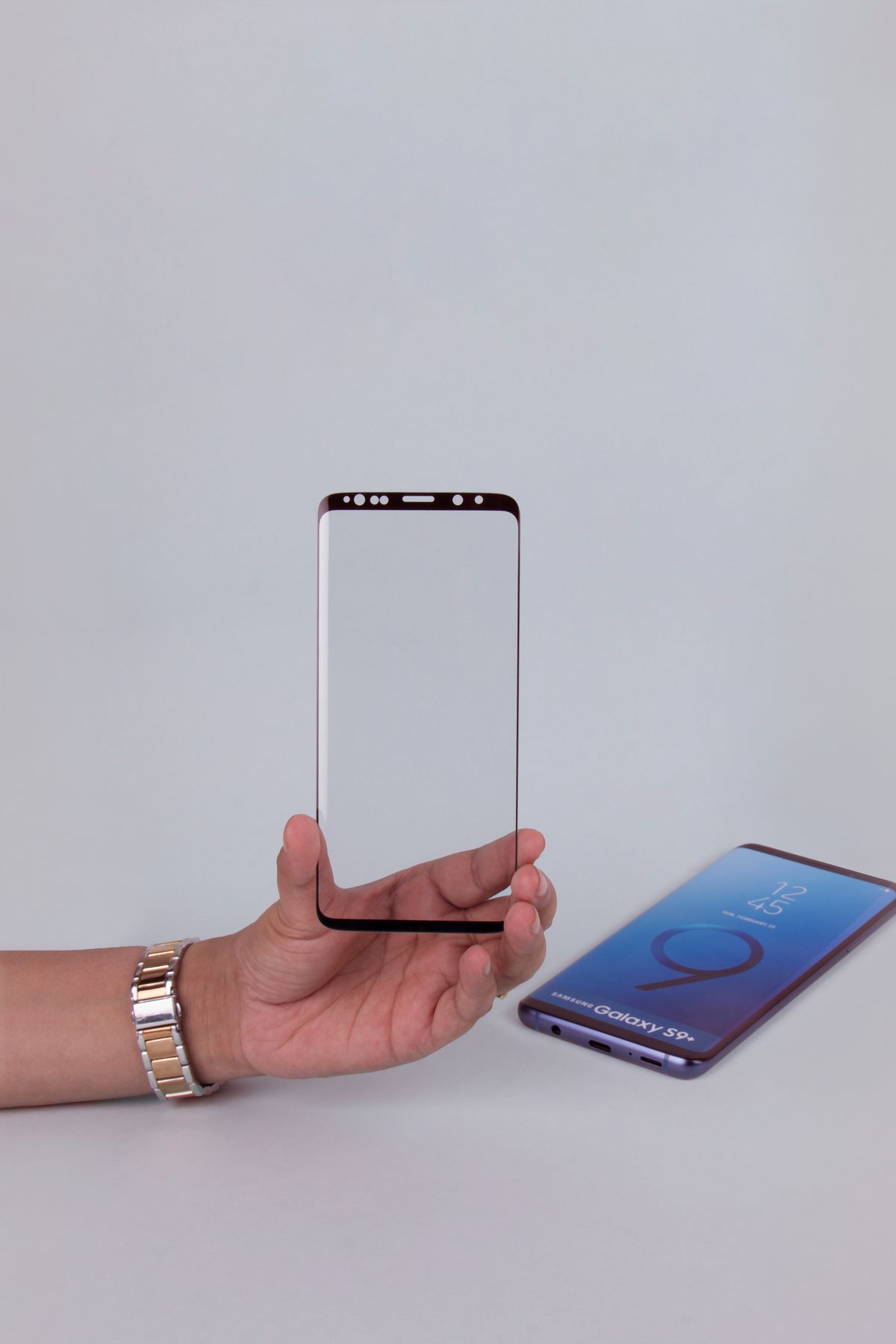
Begin with exact model compatibility, case clearance, and fingerprint-reader support before choosing glass or film. Glass is a reasonable candidate when you like a rigid overlay and a supplied alignment tray; film can suit a particular contour or finish when the maker explicitly supports it. Neither material label guarantees drop protection or effortless unlocking. Compare the complete installation kit and replacement terms, not a hardness number alone.
Define what you want the extra layer to do
A phone sharing a bag pocket with keys presents a different problem from a device repeatedly knocked from a kitchen counter. Before adding a screen protector to the cart, identify the inconvenience you want to reduce: surface marks, an unpleasant finish, privacy on public transport, or replacing a worn existing overlay. That helps you compare products without treating a single accessory as a guarantee against every kind of damage.
Consider the phone's current condition as well. A protector is not a repair for a cracked display, and an added layer may make a damaged surface less pleasant to use. If the phone already has a protector installed, establish what it is before stacking another product on top. Check the device maker's instructions, particularly for a folding display or any screen with specific service requirements.
Buy for the exact model and the case
Two phones with similar names or the same diagonal screen size can have different edges, sensor positions, and case openings. Use the complete model designation rather than a broad family name. Inspect the product selector carefully because a page can offer several versions under one title. Save the selected model information with the order so a package mix-up is easier to identify before peeling away the protective backing.
Case clearance is another part of fit. A protector extending too close to a case lip can lift when the phone is handled. Spigen's iPhone 15 GLAS.tR EZ Fit product page describes tempered glass, an installation tray, and compatibility with its cases; that claim applies to the specified product combination. It does not establish that a different brand's case will behave identically. Compare the actual combination and preserve a practical return option.
Think about feel and finish before choosing material
A rigid glass overlay and a flexible film can feel different under a fingertip. Decide whether you value a familiar smooth surface, a particular matte finish, or minimal added edge thickness. These are personal shopping priorities rather than a universal ranking. If possible, examine a sample in a shop, especially if you type extensively, draw on the screen, or dislike the feel of an exposed protector edge.
Read finish descriptions separately from the material name. A privacy filter changes the viewing experience for a specific purpose; a matte treatment may appeal for one kind of use and disappoint someone expecting the original glossy appearance. Do not buy a bundle merely because it contains more layers or advertises a dramatic hardness figure. Look for a clear explanation of the intended finish and the exact device it supports.
Check unlocking before committing to a pack
For a phone with a fingerprint sensor under the screen, compatibility deserves particular attention. Samsung's support guidance explains that protector pattern, thickness, and material can affect recognition and that third-party compatibility is not guaranteed. The same page recommends registering fingerprints again after applying a protector. Use the instructions for your exact device, rather than assuming that either all glass or all film will work equally well.
After installation, check normal touch gestures, typing, and the unlock method you use throughout the day. Keep an appropriate alternative unlock method available. If recognition becomes unreliable, follow the phone maker's troubleshooting steps instead of repeatedly changing unrelated settings based on a marketplace review. A cheap multipack is poor value if every interaction becomes frustrating. Buy a supported combination with understandable assistance and replacement terms when biometric convenience matters.
Value the installation process
The quality of the installation kit can matter as much as the number of protectors. A matching alignment frame, clear instructions, cleaning materials, and dust-removal stickers make the job easier to approach. Check whether the tray is designed for your exact phone and whether the case must come off. Avoid rushing through installation at a cluttered breakfast table, where a small piece of debris can send you back to the beginning.
Read the application instructions before exposing the adhesive. Some products use different methods, and the steps for one film should not be assumed to suit every glass protector. Inspect the unopened package and phone fit first. If a kit includes a liquid or curing accessory, follow its own handling instructions carefully rather than improvising. Choose a simpler supported installation if the process feels disproportionate to the benefit you want.
Compare the cost of a good result
Work out the price of a usable installation rather than the price per sheet. A two-pack with an appropriate alignment tool may be better value than several loosely documented protectors. Check regional shipping, returns, and how the seller handles a damaged item or incorrect version. Treat optional replacement programs as terms to read, including any postage or purchase conditions, rather than assuming the word warranty covers every mishap.
Choose glass or film after fit, controls, and finish are settled. During the first days, watch for lifting edges and check that the case does not push against the new layer. Keep the screen clean according to the device maker's guidance. A suitable protector should fit naturally into your phone routine. Explore current model-specific options once you have those requirements written down, and avoid paying extra for claims that do not answer them.
Choose for the way you use it
| Shopping priority | Look for | Tradeoff |
|---|---|---|
| Easy home installation | Model-specific alignment tool and clear steps | Kit may cost more than loose multipacks |
| Under-display fingerprint unlocking | Explicit device compatibility and maker guidance | Recognition still needs a practical check |
| Particular viewing finish | Clear matte, glossy, or privacy description | Appearance can differ from the bare screen |
Before you buy
- Confirm the full phone model and selected size.
- Check clearance with the case you actually use.
- Read fingerprint-reader and installation guidance.
- Compare the price of a complete usable kit.
Common questions
Does a hardness number guarantee that my display cannot break?
No. Do not treat a surface-hardness claim as a guarantee against drops or every type of damage. Fit, handling, and the phone's own construction still matter.
Should I register my fingerprint again after installation?
Follow your phone maker's guidance. Samsung recommends registering fingerprints again after a protector is applied; check the exact instructions for your model.
Sources & further reading
Official information consulted October 19, 2026. Buying recommendations and use-case judgments are TechPixl editorial analysis.